
UPS Battery Replacement: When to Replace & How to Size
Complete UPS battery replacement guide: 7 warning signs, capacity sizing formulas, brand compatibility matrix, hot-swap procedures, and cost optimization. From a manufacturer with 18+ years experience. Get quote for replacement batteries.
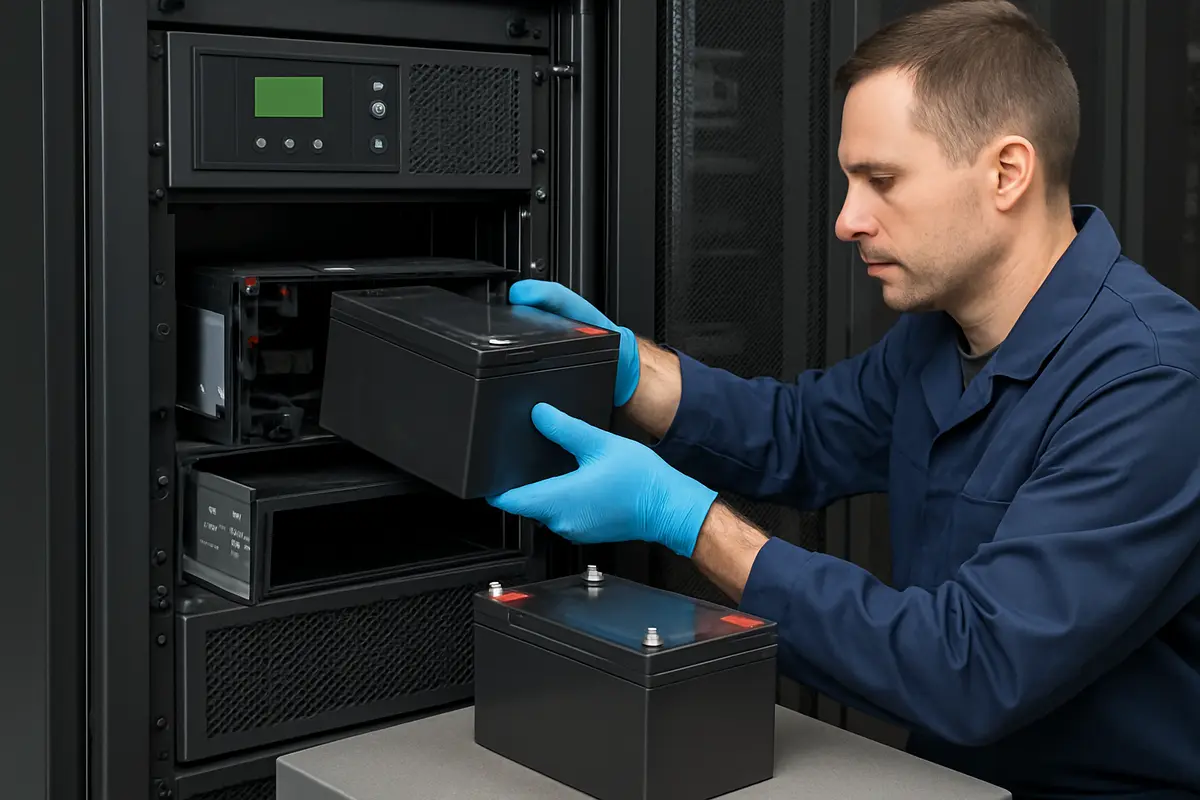
The Hidden Cost of UPS Battery Failure
Every year, preventable UPS battery failures cause millions of dollars in data center downtime, lost transactions, and equipment damage. The Uptime Institute reports that battery failure remains the single largest cause of unplanned data center outages — responsible for approximately 30% of all incidents.
The problem is not that batteries fail. All batteries have finite lifespans. The problem is that most organizations replace batteries reactively (after failure) instead of proactively (before failure). This guide provides a data-driven framework for predicting when your UPS batteries need replacement, sizing the correct replacements, and executing the swap safely.
7 Warning Signs Your UPS Battery Needs Replacement
Sign 1: Battery Age Exceeds 80% of Design Life
The most reliable predictor of battery failure is age. AGM batteries in UPS service follow a predictable degradation curve:
Temperature adjustment: Reduce these intervals by 25% for every 5 degrees C above the 25 degrees C reference temperature. A "10-year" battery in a 35 degrees C battery room is effectively a 5-year battery.
Sign 2: UPS Battery Alarm Activated
Modern UPS systems monitor battery health continuously. When the internal battery test fails — meaning the battery cannot sustain the load for the rated duration — the UPS triggers a "Replace Battery" or "Battery Fault" alarm. This is not a suggestion; it is an urgent notification that your backup power is compromised.
Do not simply silence the alarm. Some organizations disable battery alarms to stop the beeping, then forget about the issue. This creates a false sense of security — the UPS appears functional but cannot protect the load during an outage.
Sign 3: Runtime Has Dropped Below 70% of Original
Track your UPS runtime after each self-test or actual discharge event. When the measured runtime drops below 70% of the original specification, the batteries are approaching end-of-life. At 50% of original runtime, replacement is urgent.
Example: A UPS rated for 15 minutes of runtime at full load: - 15 min (100%) — New batteries, healthy - 12 min (80%) — Normal aging, schedule replacement within 6-12 months - 10.5 min (70%) — End-of-life approaching, replace within 3 months - 7.5 min (50%) — Critical, replace immediately
Sign 4: Impedance Has Increased by 20% or More
Battery impedance (or conductance, its inverse) is the gold standard for predictive battery health assessment. IEEE 1188 recommends replacing batteries when impedance increases by 20% from the baseline value measured when new.
How to interpret impedance data:
Sign 5: Physical Symptoms
Visual inspection reveals several end-of-life indicators:
- **Swollen or bulging case** — Internal gas pressure from overcharging or internal shorts. Battery is unsafe and must be removed. - **Cracked case** — Physical damage or excessive internal pressure. Risk of acid leakage. - **Corrosion on terminals** — Electrolyte seepage around the terminal post seal, indicating internal degradation. - **Sulfur smell** — Valve venting due to overcharging or internal failure. Improve ventilation immediately and replace battery. - **Hot to touch during float charge** — Internal resistance has risen significantly, causing I-squared-R heating. Potential thermal runaway precursor.
Sign 6: Elevated Float Current
A healthy AGM battery at float voltage draws minimal current — typically 1-3mA per Ah of capacity. If float current increases to 5-10mA per Ah, internal degradation is advanced. Monitor float current trends rather than absolute values, as the trajectory reveals more than a single measurement.
Sign 7: Uneven Cell or Unit Voltages
In a multi-battery string, all units should show voltages within 0.1V of each other. If one battery reads 13.2V while others read 13.6V, the low battery is dragging the entire string down and should be investigated. However, do not replace a single battery in a string — always replace the entire string simultaneously.
How to Size UPS Replacement Batteries
Step 1: Determine Your UPS Battery Configuration
Before ordering replacements, document the existing configuration precisely:
Step 2: Calculate Required Capacity
If you want to maintain the original runtime at the current load:
Required Ah = (Load watts x Runtime hours) / (DC bus voltage x 0.85 efficiency x 0.80 aging factor)
The 0.80 aging factor ensures the battery delivers rated runtime even after several years of service. Without this factor, a new battery meets the runtime spec on day one but falls short within 2-3 years.
Sizing examples:
Step 3: Verify Physical Compatibility
The replacement battery must fit the existing battery compartment or rack. Critical dimensions:
- **Length, width, height** — Must match within 5mm, especially height for rack-mount installations - **Terminal location and type** — Must match for cable routing (front terminal vs top terminal) - **Weight** — Verify the rack or shelf load rating accommodates the replacement weight
Step 4: Consider Capacity Upgrades
Replacement time is the ideal opportunity to upgrade capacity. If your load has grown since the UPS was installed, or if you want longer runtime, you can install higher-capacity batteries as long as:
1. Physical dimensions fit the compartment 2. The UPS charger can handle the larger battery bank (verify max charge current specification) 3. All batteries in the string are identical (same manufacturer, model, and date code)
Example upgrade path: Replace ND12-100 with ND12-150 in the same string for 50% more runtime. Verify the UPS charger can supply at least 0.10C of the new capacity (15A for 150Ah).
UPS Brand Compatibility Matrix
Naradex ND12 series batteries are compatible with all major UPS brands. The key is matching voltage, capacity, dimensions, and terminal type:
Important: Always verify exact dimensions and terminal type against your specific UPS model. Configurations vary by serial number and production year.
Hot-Swap vs Cold-Swap Battery Replacement
Hot-Swap (UPS Remains Powered)
Many modern UPS systems support hot-swappable battery modules — the UPS continues to protect the load from utility power while batteries are replaced. During the swap, the load is NOT protected against power outages (there is no battery backup).
Hot-swap procedure: 1. Confirm your UPS model supports hot-swap (check manual or manufacturer) 2. Acknowledge the battery alarm on the UPS 3. Open the battery compartment access panel 4. Disconnect the battery connector (quick-release plug or breaker) 5. Slide out old batteries, slide in new batteries 6. Reconnect the battery connector 7. Verify the UPS detects the new batteries and begins charging 8. Run a self-test after 24 hours of charging
Cold-Swap (UPS Powered Down)
For UPS systems without hot-swap capability, or when replacing batteries in the external battery cabinet of a large UPS, the load must be transferred to bypass or an alternate power source.
Cold-swap procedure: 1. Schedule a maintenance window with all stakeholders 2. Transfer the UPS to static bypass (load powered directly from utility) 3. Power down the UPS inverter 4. Open the battery disconnect breaker 5. Replace all batteries 6. Close the battery disconnect breaker 7. Power up the UPS and transfer back from bypass 8. Run a full self-test after 24 hours of charging
Cost Optimization Strategies
Strategy 1: Buy Factory-Direct from OEM Manufacturers
UPS battery cartridges from APC, Eaton, and Vertiv carry significant brand premiums — often 2-3 times the cost of equivalent-specification batteries from OEM manufacturers like Naradex. The batteries inside brand-name cartridges are manufactured by the same VRLA battery factories that sell under OEM labels.
Cost comparison example (12V 100Ah AGM battery):
For a 64-battery installation, the savings from factory-direct sourcing can exceed $10,000 — enough to fund the replacement labor and still save significantly.
Strategy 2: Lifecycle-Based Replacement Scheduling
Instead of replacing batteries when they fail (reactive), schedule replacements at 80% of design life (proactive). This approach costs the same or less — because failed batteries often damage the UPS or cause downtime that far exceeds the cost of proactive replacement.
Strategy 3: Temperature Management
Reducing battery room temperature by 10 degrees C approximately doubles battery life. Investing in HVAC for the battery room often pays for itself within one replacement cycle. A $5,000 cooling system that extends battery life from 5 years to 10 years saves an entire battery replacement — easily $20,000-$50,000 for a large installation.
Related Resources
- AGM Battery Charging Guide — Correct charging after replacement - Battery Backup Time Calculator — Calculate your required capacity - How to Choose a UPS Battery — Complete selection criteria - VRLA Battery Maintenance Guide — Extend battery life post-replacement - 12V AGM Battery Products — Naradex ND12 series full catalog - 2V Stationary Battery Products — NL2 series for large UPS systems