
How to Size a UPS Battery for Your Data Center — Complete Sizing Guide
Step-by-step UPS battery sizing methodology for data centers. Covers load calculation, voltage string design, autonomy planning, and derating factors. Free sizing tool. Get quote →
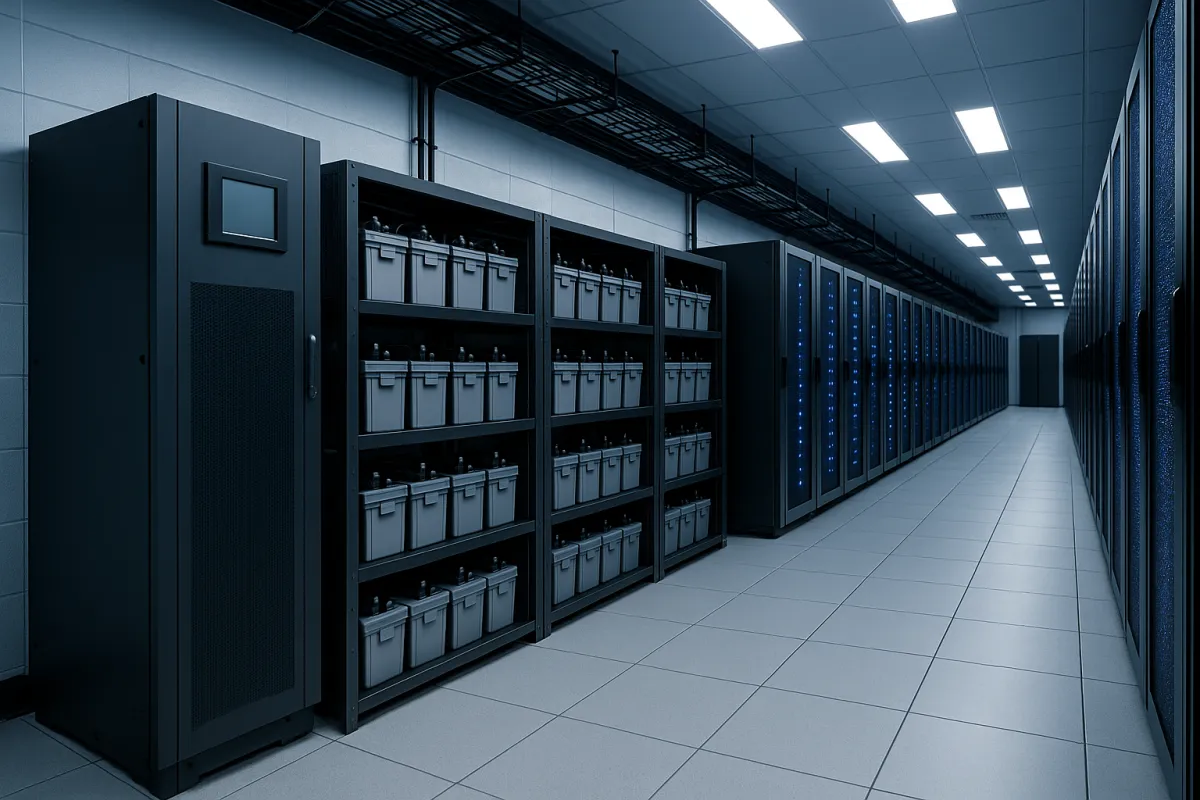
Quick Answer: The Sizing Formula
Battery Ah = (Load in watts x Runtime in hours) / (System voltage x Efficiency x DOD limit)
For a 100 kW load, 15-minute runtime, 384V system: Battery Ah = (100,000 x 0.25) / (384 x 0.85 x 0.8) = **95.6 Ah** → select 100 Ah batteries
But this simplified formula misses critical derating factors that can cause a 20-40% capacity shortfall in real-world operation. This guide covers the complete engineering methodology used by data center designers worldwide, including temperature derating, aging factors, high-rate discharge correction, and redundancy planning.
Step 1: Define Your Load Profile
The first step is accurately measuring or estimating the total critical load that the UPS must support during a power outage.
What to Include in the Load Calculation
Important: Use actual measured load, not nameplate ratings. IT equipment typically draws 50-70% of nameplate. Using nameplate values will oversize your battery system by 30-50%, wasting capital.
Day-1 vs. Design-Day Load
Data centers rarely operate at full capacity on day one. Best practice is to size batteries for **design-day load** (ultimate capacity) but verify that the battery system also performs adequately at **day-1 load** (initial, lower load). Running large battery strings at very low loads can actually cause problems — the float current may be insufficient to keep all cells in good condition.
Step 2: Determine Required Autonomy (Runtime)
Autonomy is the duration your UPS must support the critical load between utility failure and generator start + stabilization.
Standard Autonomy by Application
Generator start time: Modern diesel generators start and assume load in 10-15 seconds. However, the total time from utility failure to stable generator power includes: detection delay (1-3 seconds), transfer switch operation (5-10 seconds), generator start and warm-up (10-30 seconds), and load acceptance (5-15 seconds). Total: 21-58 seconds in normal conditions.
Why not just 1 minute of battery then? Because generators can fail to start. Industry data shows that standby diesel generators have a first-start reliability of 94-99%, depending on maintenance quality. If your generator fails on the first attempt, you need enough battery autonomy for the second attempt or for orderly shutdown. This is why even Tier IV data centers with dual generators specify 10-15 minutes of battery autonomy.
Step 3: Select Battery Voltage and Configuration
DC Bus Voltage
Your UPS determines the DC bus voltage. Common configurations:
12V vs. 2V cells: For systems above 100 kVA, 2V cells are preferred because they offer longer design life (15-20 years vs. 10-12 years for 12V), better capacity monitoring (individual cell voltage tracking), and more precise capacity matching. However, 2V systems require more monitoring points and higher initial investment.
Parallel Strings
If one battery string does not provide enough capacity, add parallel strings. For data center reliability, best practices include:
- **Maximum 4 parallel strings per battery bank** — beyond 4, current sharing imbalances reduce reliability - **Each string should have its own fuse/breaker** for isolation during maintenance - **All parallel strings must use the same manufacturer, model, and production batch** to ensure matched impedance
Step 4: Calculate Required Battery Capacity
Method 1: Watts-per-Cell Method (IEEE 485)
This is the engineering standard method used for critical facility battery sizing.
Step 4a: Determine the required watts per cell:
Watts per cell = Total load (W) / Number of cells in series
Step 4b: Look up the battery manufacturer's discharge rate table to find which battery capacity can deliver the required watts per cell for the required duration at the specified end-of-discharge voltage.
Example: 200 kW load, 192V system (96 cells of 2V), 15-minute runtime
Watts per cell = 200,000 / 96 = 2,083 W per cell
From the Naradex NL2 discharge table (2V AGM, 1.80V end voltage, 25°C):
For 2,083 W per cell at 15 minutes, you need the **NL2-1500** (2,750 W/cell capacity exceeds the 2,083 W/cell requirement, providing a 32% margin).
Method 2: Simplified Ah Method
Battery Ah = (Load in W x Runtime in hours) / (System voltage x Efficiency x DOD)
Where: - Efficiency = 0.85 (typical for lead-acid at moderate discharge rates) - DOD = 0.80 (80% depth of discharge — never discharge lead-acid below 80% DOD)
Example: 200 kW, 15 min, 192V system Battery Ah = (200,000 x 0.25) / (192 x 0.85 x 0.8) = 383 Ah → select 500 Ah batteries
Warning: The simplified method does not account for high-rate discharge effects. At 15-minute discharge rates, actual available capacity is significantly lower than the 10-hour or 20-hour rated capacity. Always verify your selection against the manufacturer's high-rate discharge table.
Step 5: Apply Derating Factors
This is where most sizing errors occur. The raw calculation from Step 4 must be adjusted for real-world conditions.
Temperature Derating
Battery capacity decreases at lower temperatures. If your battery room may drop below 25°C during an HVAC failure:
*Source: IEC 60896-21, Naradex factory test data*
Best practice: Derate for 20°C (add 6%) even in climate-controlled rooms, because HVAC may fail simultaneously with the power outage.
Aging Factor
Battery capacity degrades over time. Industry standard is to size for 80% of end-of-life capacity — meaning you need 25% more initial capacity:
Aging factor = 1.25 (size for 1.25x the required capacity)
This ensures the battery system still meets the required runtime at end of design life (typically year 8-10 for AGM, year 15-18 for OPzV).
Design Margin
Add 10-15% design margin for load growth and measurement uncertainty:
Design margin = 1.10 to 1.15
Combined Derating Formula
Required Ah = Calculated Ah x Temperature factor x Aging factor x Design margin
Example (continuing from Step 4): - Calculated: 383 Ah (simplified method) or NL2-1500 (watts-per-cell method) - Temperature derate (20°C): x 1.06 - Aging factor: x 1.25 - Design margin: x 1.10
Required Ah = 383 x 1.06 x 1.25 x 1.10 = **558 Ah** → select NL2-600 or two parallel strings of NL2-300
The watts-per-cell method already includes some margin (32% in our example), but should still be verified against aging and temperature derating.
Step 6: Verify Floor Space and Weight
After selecting the battery model and quantity, verify that your battery room can physically accommodate the installation.
Weight Calculation
Floor loading: Standard data center raised floors are rated for 500-1,000 kg/m2. Battery racks concentrate weight — verify that the specific rack location can support the load. Seismic zones require additional anchoring per local building codes.
Space Planning
- **Maintenance aisles:** Minimum 900mm (front and rear) per NFPA 111 - **Ventilation clearance:** Minimum 50mm between rack top and ceiling per IEEE 484 - **Clearance from walls:** Minimum 300mm for air circulation - **Monitoring and access:** Space for BMS sensors, cable routing, and emergency disconnects
Step 7: Battery Monitoring and Maintenance Planning
A correctly sized battery system still requires ongoing monitoring to deliver reliable performance throughout its design life.
Monitoring Parameters
Replacement Planning
Budget for battery replacement at 80% of design life: - **AGM 12V:** Replace at year 8 (10-year rated) or year 6 (8-year rated) - **AGM 2V:** Replace at year 10-12 (15-year rated) - **OPzV Gel 2V:** Replace at year 15-16 (20-year rated)
Sizing Worksheet: Quick Reference
Use this worksheet for initial sizing:
1. Total critical load: _____ kW 2. Required autonomy: _____ minutes 3. UPS DC bus voltage: _____ V 4. Cells in series: _____ (= DC voltage / cell voltage) 5. W per cell: _____ (= load W / cells in series) 6. Select battery from W/cell table: Model _____ 7. Temperature derate: x _____ 8. Aging factor: x 1.25 9. Design margin: x 1.10 10. Final required Ah: _____ 11. Parallel strings needed: _____ 12. Total batteries/cells: _____ 13. Total weight: _____ kg 14. Floor space required: _____ m2
Related Resources
- Battery Backup Time Calculator — Quick runtime estimation - How to Choose UPS Battery — General selection guide - AGM vs Gel Battery: Which Is Better for UPS? — Technology comparison including data center section - VRLA Battery Maintenance Guide — Extend battery life - Telecom Battery Backup Guide — Telecom-specific sizing - 2V Stationary Battery Products — Product specifications
Need Help Sizing Your Battery System?
Our engineering team provides free battery sizing calculations for data center UPS, telecom, and utility applications. Send us your load data and site conditions — we will return a complete sizing recommendation with product selection, layout drawing, and budget pricing within 48 hours.